
FROM THE GAME
Paintball, connected buttons and a free-look camera
Clearer team entry and match information, paired circuit buttons, an orbit camera and a new original welcome soundtrack.
0.1.0-paintball-preview-20261015.5
THE DETAILS
What changed.
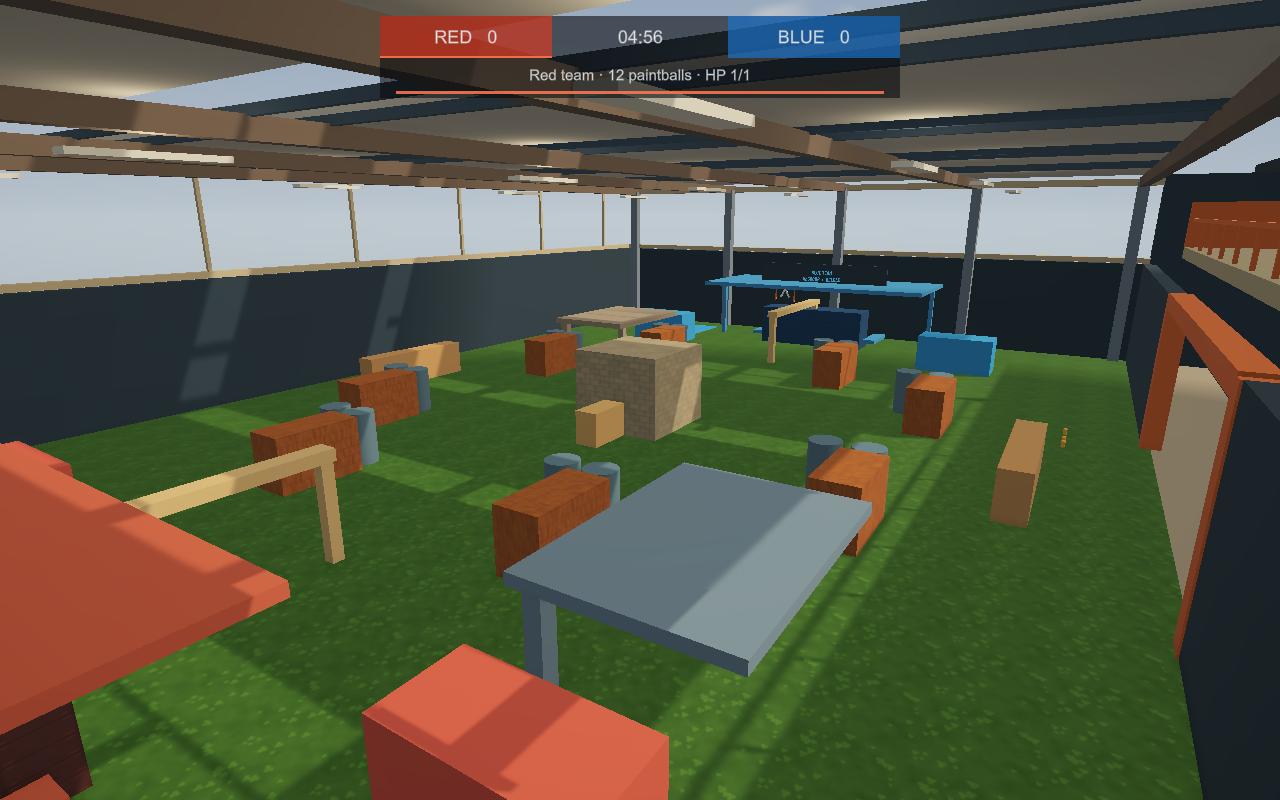
- Paintball now names your assigned team and entrance button, explains when more field players are needed, and uses a larger red-and-blue scoreboard that scales with your screen.
- Team entry no longer gets undone by an older lobby position arriving during the teleport. The host confirms the arrival before accepting shots or weapon pickups.
- Crouching, prone and sliding now use the appropriate eye height for Paintball cover and nearby weapon pickups.
- Placing a Button Pressed circuit chip creates a matching world button automatically. The pair stays linked when saved and can be undone together; selecting an existing button reuses it.
- Right-click a circuit chip with the Maker Pen to open its settings. A Button Pressed chip can make its button visible and usable by everyone or by players with room-building permission. The host checks restricted presses too.
- In third person, hold the middle mouse button to orbit your camera without turning the avatar. You can also toggle Orbit camera from the HUD; releasing it eases the view back behind you.
- A Place to Arrive is a new original 80-second stereo welcome soundtrack, with a piano theme, warm accompaniment and a seamless loop through login and loading. Music volume and mute settings still apply.
Before you jump in
Open Watch → Rooms → Paintball Yard by Guide for the public playtest. Bring another player, then use the entrance button for your assigned red or blue team. Walking toward the arena does not enter the match.
This remains a development preview. Please include your build version and device when reporting a problem.
Quest uses a separate app build. A Windows update does not update the headset app.
KEEP THE CONVERSATION GOING
Questions, feedback, or a bug?
Discuss this release in the VoidRoom update channel. Include your game version when reporting a problem.